What Is the Google Maps 3-Pack? (And How to Get Your Business Into It)
If you have ever searched for a dentist, a plumber or a therapist on your phone, you have used the Google Maps 3-pack, probably without thinking twice about it. Those three businesses sitting under the map get the calls, the clicks and the bookings, and everyone else gets to wonder what they did wrong.
It is one of the questions we hear most: what is that box, and how do I get my business into it? You have probably already tried a few things, maybe a tool that promised to fix your listing or a freelancer who “optimized” it and disappeared. So here is the honest version, in plain English, of how the map pack actually works and what moves the needle.
What is the Google Maps 3-pack?
The 3-pack (also called the local pack or map pack) is the block of three business listings Google shows with a map when a search has local intent. Think “family dentist,” “physical therapy near me” or “divorce attorney Denver.”
Each listing pulls straight from a Google Business Profile: your name, star rating, review count, category, hours and buttons to call, get directions or visit your website. For a lot of searchers, that box is the whole decision. They never scroll down to the regular website results at all.
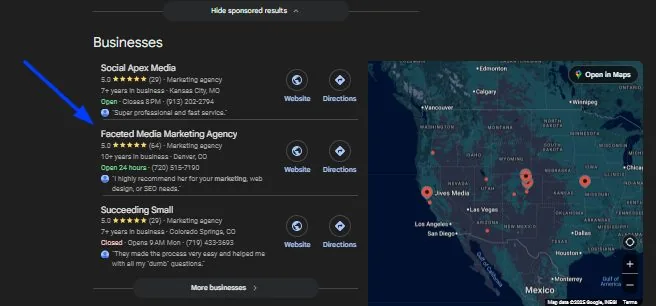
The same profile data shows up in more places than the pack itself:
- Google Maps, when someone searches inside the Maps app
- The local pack on a regular Google search
- AI answers, including Google’s AI Overviews and AI Mode, which lean heavily on Business Profile data and reviews when someone asks for a local recommendation
So when you work on your map pack visibility, you are really working on how Google, and the AI tools built on top of it, understand and trust your business.
How Google decides who gets in
Google has said publicly that local results come down to three things: relevance, distance and prominence (Google Business Profile Help). Everything else people tell you about the map pack fits somewhere inside those three.
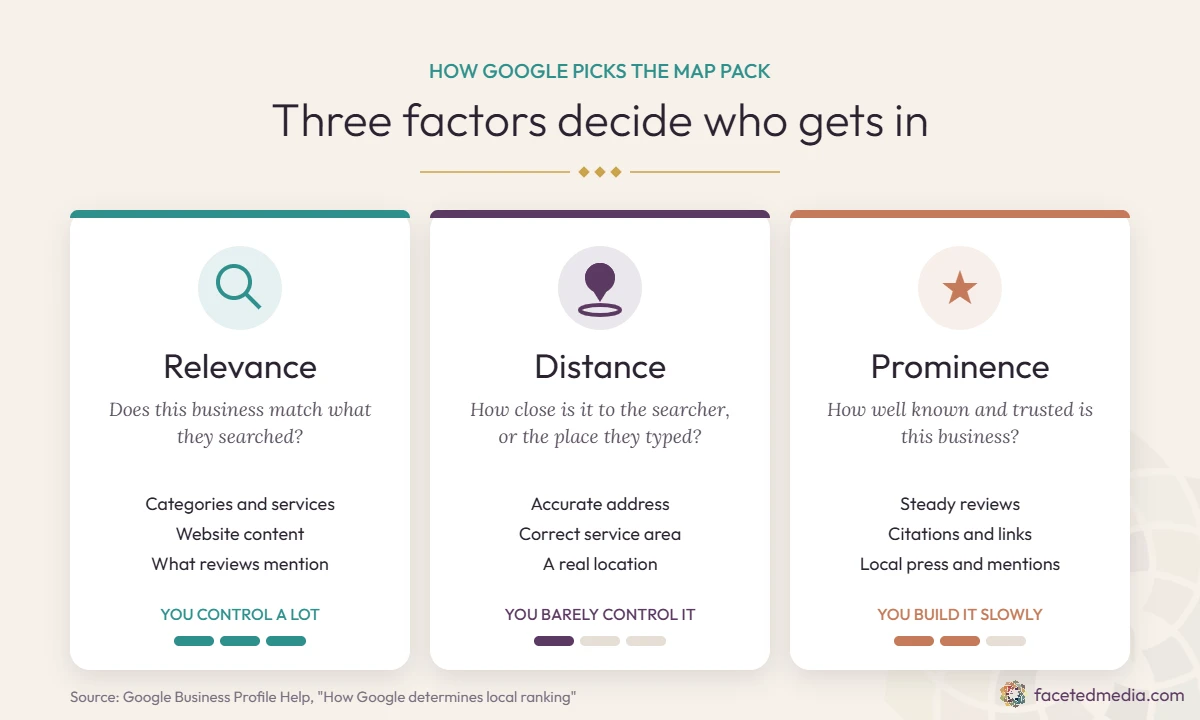
| Factor | What Google is asking | Can you change it? |
|---|---|---|
| Relevance | Does this business match what the person searched for? | Yes, a lot. Categories, services, website content and reviews all feed it. |
| Distance | How close is the business to the searcher, or to the place they typed? | Barely. You can make sure your address and service area are accurate, but you cannot move your office closer to every customer. |
| Prominence | How well known and trusted is this business, online and off? | Yes, slowly. Reviews, links, press, directory listings and your website’s overall strength build it over time. |
That distance column is the part nobody likes to hear. If someone searches “pediatrician near me” from five miles away, a practice down the street from them has a head start no amount of optimizing will fully erase. The good news is that relevance and prominence are where most businesses leave the biggest gaps, and those are completely in your hands.
How to get into the Google Maps 3-pack, step by step
None of these is a magic trick on its own. The businesses that hold a spot in the pack usually do all of them, consistently, for months.
Set up your Google Business Profile right
- Claim and verify your Google Business Profile. It sounds obvious, but we still meet owners whose profile was set up years ago by a former employee or a web company that no longer answers email. Make sure you are an owner on it, not just a manager.
- Pick the right primary category. This is one of the strongest relevance signals you control. Choose the most specific category that describes what you are, like “Pediatric Dentist” instead of “Dentist,” or “Family Law Attorney” instead of “Lawyer.” Then add a few secondary categories that are genuinely true.
- Fill in every service, and describe them. List each specific service you offer with a short, plain description of what it is and who it is for. Look at what the top three in your area list and see what you are missing.
- Use your real business name. Do not add keywords or cities to your name on the profile (“Smith Dental | Best Denver Dentist”). It breaks Google’s guidelines, competitors report it, and it can get your profile suspended.
- Keep hours, holiday hours and your booking link current. If people book appointments with you, add your booking link so searchers can go from the map straight to your calendar. Being found only matters if being booked is easy.
- Answer Google when it checks in. Google regularly emails and notifies owners asking them to confirm holiday hours or review suggested changes to their info. Treat those as a tap on the shoulder, not spam. Confirming them takes a minute, keeps your details accurate, and shows Google a real person is paying attention to the profile. Ignoring them is also how strangers’ “suggested edits” quietly change your hours or phone number.
Build a steady stream of reviews
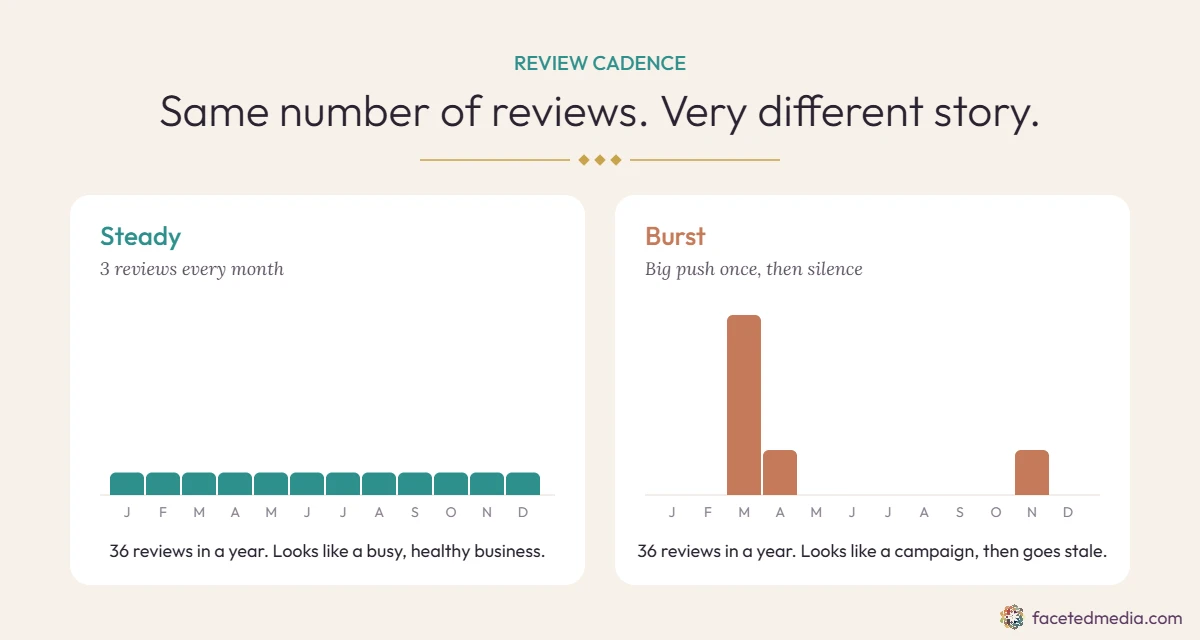
- Build a steady review rhythm. Cadence matters more than a big number. A few honest reviews every month, month after month, looks like a healthy business. Twenty in one week and then nothing for six months looks like a campaign, and a stale review list tells searchers you might not be busy anymore. Make asking part of your routine: right after a good appointment, with a direct review link by text or email. Ask everyone, not only the clients you expect to be happy (filtering who you ask is against Google’s rules), and never offer discounts or gifts for reviews.
- Reply to every review. Thank the happy ones by name and respond to the unhappy ones calmly and briefly. Future customers read your replies as closely as the reviews. If you work in healthcare or counseling, never confirm someone was a patient or client in a reply.
Keep your profile active
- Post updates once or twice a week, and make them human. Business Profile posts are a nice freshness signal, but there is no prize for posting daily, and a feed of auto-generated filler reads exactly like what it is. One or two real posts a week is plenty: a new team member, a client question you answered, a seasonal reminder, an event, a photo from this week. Write them the way you would talk to a client in your office.
- Add real photos regularly. Your space, your team, your work, your signage. Real photos help people choose you, and an active profile looks like an active business. Skip stock images here.
Back it up across the web
- Make your website back up your profile. Your site should clearly say what you do and where, with a page for each core service and, if you have more than one office, a page for each location. Add LocalBusiness schema markup and link your profile to the most relevant page, not always the homepage.
- Make your name, address and phone (NAP) match everywhere, exactly. Google cross-checks your details across the web, and every mismatch makes it a little less sure which version is true. “Suite 200” on one site and “#200” on another, an old phone number on Yelp, or a former address on a directory you forgot about all chip away at that confidence. Pick one exact format, write it down, and use it everywhere: website footer, Google, Apple, Bing, Facebook, Yelp and every directory. If you have moved, changed phone numbers or rebranded, hunting down the old versions is one of the highest value cleanups you can do.
- Build and clean up your citations. A citation is any listing of your business name, address and phone on another site. Start with the core platforms (Apple Business Connect, Bing Places, Yelp, Facebook, the BBB and your local chamber), then the directories for your industry, like Healthgrades and Zocdoc for doctors, Psychology Today for therapists, or Avvo for attorneys. Claim them rather than just creating them, merge or remove duplicates, and fix anything outdated. Quality and accuracy matter far more than quantity, so skip the services that blast you onto hundreds of junk directories.
- Earn local mentions and links. Local press, sponsorships, podcast interviews, professional associations and partner businesses all build prominence. One good local article does more than a hundred junk directory listings.
Myths, shortcuts and things that get profiles suspended
If you have been burned before, it was probably by one of these.
- “We guarantee you the #1 spot.” Nobody can. Distance alone means you will rank differently on every block of your city.
- Buying reviews or swapping them with other businesses. Google catches patterns, removes the reviews and can restrict or suspend the profile. You lose the reviews and the visibility.
- Virtual offices and fake addresses. A coworking mailbox or UPS box is not a real location in Google’s eyes. If you serve clients at their place, set up as a service area business and hide your address instead.
- Posting every single day. More posts do not mean more rankings. Consistent and real wins.
- Constant edits to your profile. Changing your name, category or address over and over can trigger a re-verification or a suspension. Make deliberate changes, then leave them alone.
- Ignoring it for a year. A profile left alone slowly drifts out of date through suggested edits, old photos and unanswered reviews, while your competitors keep showing up.
How to check where you stand (and how long it takes)
Searching your own business name from your own phone tells you almost nothing, because Google personalizes local results to where you are standing. A few better ways to look:
- A local rank grid tool like BrightLocal or Local Falcon shows where you rank across a map of your area, block by block, for the searches you care about.
- Your Business Profile performance report shows how many people found you, called, asked for directions or clicked to your website or booking link.
- Your own booking data. Ask new clients how they found you. The map pack is only worth chasing if it turns into appointments.
As for timing, small fixes like categories and services can show movement within a few weeks. Reviews, citations and local links build over months. This is slow, steady work, and the businesses that win the pack are usually the ones that kept going after everyone else got bored.
Frequently asked questions
They use the same Business Profile data, but the 3-pack is the box on a regular Google search and Maps is the app. Strong profiles tend to do well in both.
Not the organic spots. Google Ads can show a sponsored listing in or above the map results, but that is a paid ad, separate from earning a regular spot.
There is no magic number. Look at the businesses currently in your pack: you want to be in their range and getting new reviews as steadily as they are, or more so.
Once or twice a week is plenty. Real updates written by a person beat daily filler.
You can appear without one, but a strong website with clear service and location pages makes ranking much easier and gives people somewhere to book.
Yes. Set up as a service area business, hide your street address and list the areas you serve. You will rank most strongly near the address you verified with.
Want a second set of eyes on your profile?
We have been doing local SEO since 2011, and we rank in the map pack ourselves. If you would like to know exactly where your profile stands and what is holding it back, book a free consult. We will tell you what we see, in plain English, and you can decide from there.